
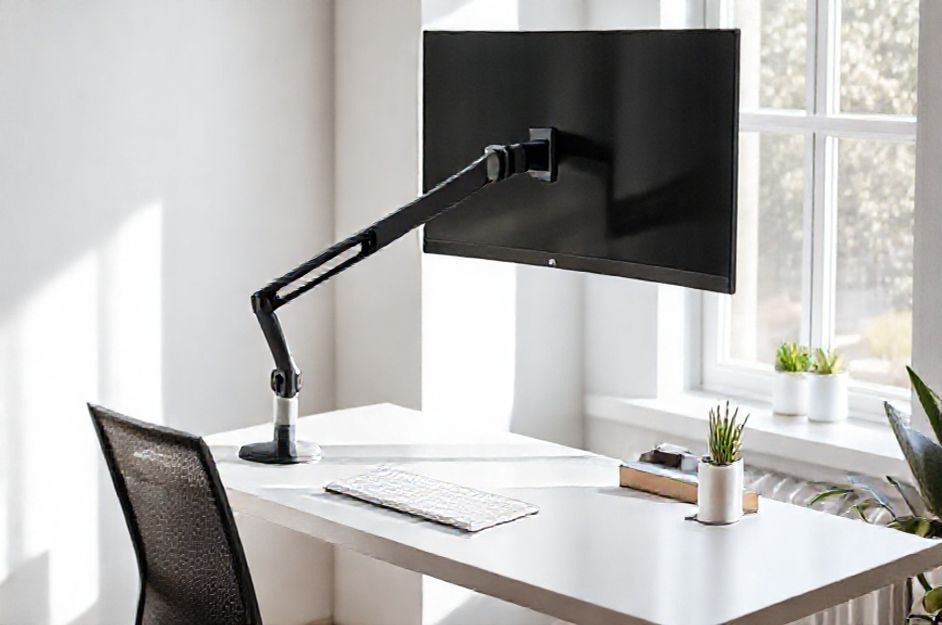
Considering a monitor arm? If you’re new to computers or seeking ways to optimize your workspace, understanding monitor arms is key. These accessories offer ergonomic benefits and can dramatically improve your computing experience.
At its core, a computer setup consists of three main components: the monitor (your display), the keyboard (for input), and the CPU (the processing unit, often a separate box for PCs, though integrated in newer Apple designs).
Proper monitor placement is crucial. Ideally, your monitor should be 18-21 inches away, with the center at eye level. Avoid tilting your head up or down, as this can lead to neck strain and fatigue. A monitor arm can play a huge role in helping with this.
Even if your desk allows for correct placement, a monitor arm offers added flexibility. Mounting to the back of your flat screen, and to your desk or wall, it allows effortless adjustments: up, down, left, right, and tilt. This minimizes glare from windows and accommodates various seating positions. Imagine sharing your screen with a child during homework, or multiple users adjusting the monitor for personalized comfort.
Monitor arms come in diverse designs. Some support single or dual monitors, while others offer varying degrees of rotation and extension. Versa Products, Inc. offers a wide array of monitor arms, allowing you to find the perfect fit for your needs.
Beyond ergonomics, a monitor arm maximizes desk space. By suspending your monitor, you free up valuable surface area for writing and organizing. This not only protects the monitor but also prevents clutter, fostering a more productive and efficient workspace.